Job
enquiry:+91-9121642626
Job
enquiry:+91-9121642626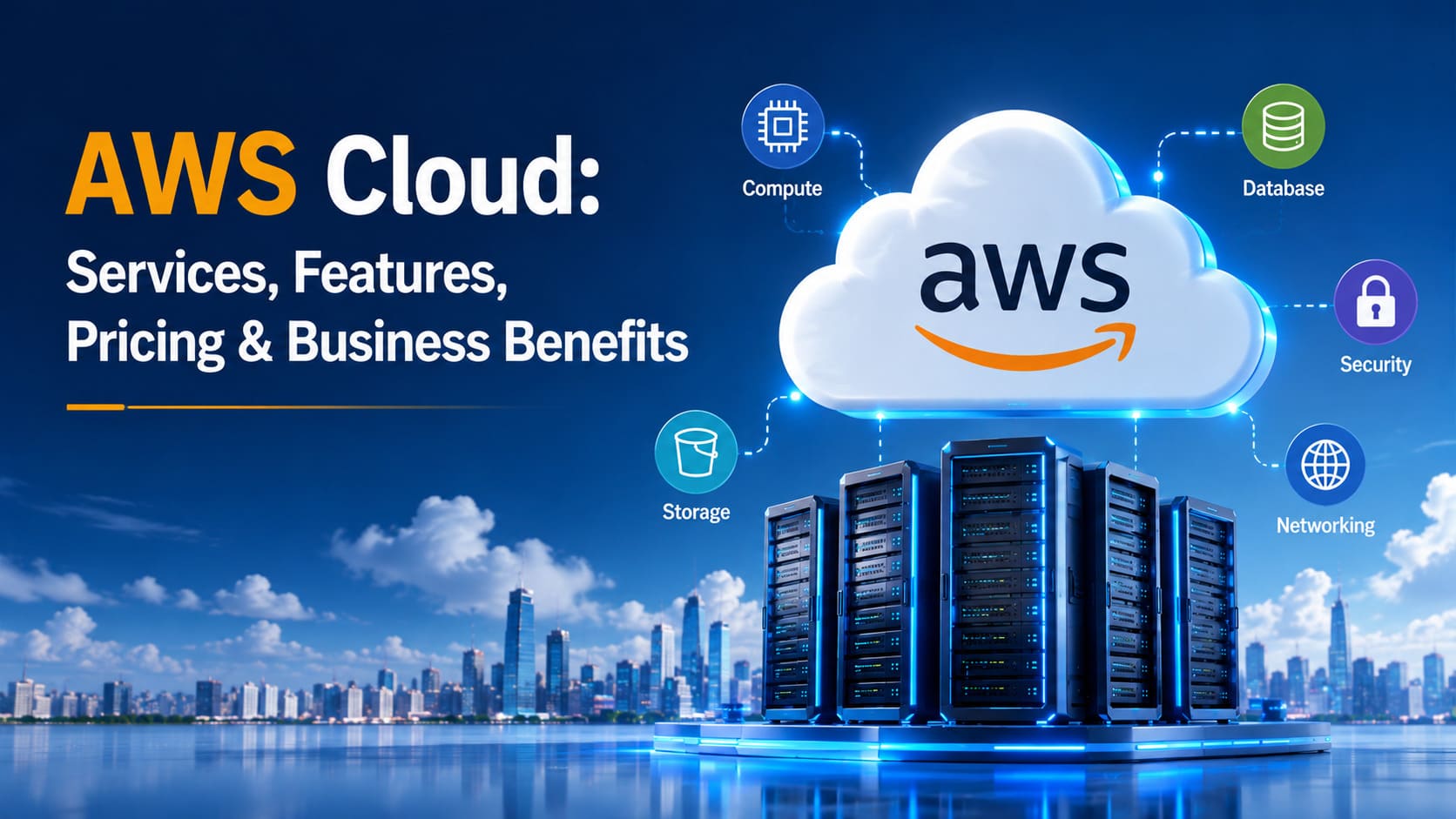
AWS Cloud: Services, Features, Benefits, Pricing & Use Cases
If you have ever been looking for a job position in the IT sphere, read tech-related news or even talked to a developer, you have probably come across the phrase "AWS Cloud" numerous times. Indeed, this cloud-based service provided by Amazon plays a crucial role in the daily life of numerous startups and enterprises. But what does AWS Cloud mean? What services and features does it provide? And how is it charged? In this guide, we are going to answer all your questions about AWS Cloud, describe the most popular AWS Cloud services and share our experience working with this cloud service provider.
What Is AWS Cloud?
In general, AWS Cloud stands for Amazon Web Services – cloud computing platform provided by Amazon that provides on-demand computing power, storage, databases, networking, and many other IT resources over the Internet. Rather than buying physical servers or data centers for storing information, the company rents needed infrastructure components and pays only for its usage.
It is worth mentioning that AWS was launched in 2006 and became one of the first cloud-based companies to offer its services. At that moment the very concept of cloud computing was relatively new, the idea consisted in treating the infrastructure as a utility, similar to electricity (you turn it on when needed and pay for its consumption). Now AWS Cloud platform provides hundreds of services and solutions, thus becoming one of the most comprehensive cloud providers.
How Does AWS Cloud Work?
At first glance, the functioning of AWS cloud computing may seem quite complex. However, in fact, it is really easy to understand how AWS cloud infrastructure works.
Basically, AWS Cloud provides its clients with data centers located all over the globe in different regions and availability zones. Every AWS region consists of multiple isolated locations called "availability zones". That means that if there is a problem with one of them, your applications will continue their operation from another availability zone within the same region.
So, using AWS Cloud computing you get a possibility to host your applications, store and manage your data in the most convenient way possible without worrying about purchasing servers and keeping data centers.
AWS Cloud Services Explained
As was mentioned above, there are plenty of services provided by AWS cloud platform. Below, we are going to describe the most widely used ones:
- Amazon EC2 (Elastic Compute Cloud) – the service which provides virtualized computing capacity and consists of pre-configured virtual servers.
- Amazon S3 (Simple Storage Service) – scalable object storage which is used for saving and retrieving any kind of data and files.
- Amazon RDS (Relational Database Service) – managed database service which supports different engines like MySQL, PostgreSQL and SQL Server.
- AWS Lambda – serverless compute service that allows running your code in response to different events without provisioning or managing the servers.
- Amazon DynamoDB – a fully managed NoSQL database that is used in the case when you need high-speed and low-latency applications.
- Amazon VPC (Virtual Private Cloud) – service which provides you with creating isolated network environments within the AWS Cloud.
- Amazon CloudFront – content delivery network (CDN) which allows delivering content faster to end users.
- Amazon Bedrock – service of Amazon which allows developing and scaling the generative AI applications using foundation models.
Thanks to these AWS cloud services, it becomes possible to build different kinds of applications of any complexity level.
Key Features of AWS Cloud
There are some particular features that differentiate AWS Cloud from other cloud services providers:
- Global infrastructure – AWS operates data centers in different regions around the globe and thus businesses are able to deploy applications closer to end users for improved performance.
- Elastic scalability – resources can scale up during peak periods and scale back during quieter periods so that you do not need to pay for unnecessary capacity.
- Pay-as-you-go pricing – you are billed for actual usage rather than upfront costs.
- Extensive service catalog – AWS cloud services cover a wide spectrum of various aspects, from computing and storage to AI, IoT and Analytics.
- High reliability and redundancy – multiple availability zones within the region ensure the continuity of the operations even if the problem appears in some data centers.
- Powerful security and compliance tooling – identity management, encryption and monitoring tools are available to help businesses to build a reliable security posture.
Benefits of Using AWS Cloud
In case you have never worked with AWS cloud platform or think about using it, it is important to mention the main advantages of the AWS Cloud computing:
- Cost efficiency – there is no need for initial hardware purchases as you pay only for the consumed resources and, furthermore, you are able to reduce your expenses by reserving capacity or savings plans.
- Speed and agility – creation of servers, databases or other components takes minutes instead of days or weeks which are required in the case of purchasing physical infrastructure.
- Global presence – ability to deploy your applications in multiple regions and thus serve international customers.
- Focus on the core business – you will not need to worry about infrastructure management so that you could concentrate on product development.
- Scalability – AWS infrastructure is able to scale from ten to millions of users.
- Innovation access – smaller companies gain access to advanced tools of machine learning and data analysis which usually were affordable only for enterprises.
AWS Cloud Pricing Explained
As we have mentioned above, AWS cloud computing platform uses pay-as-you-go pricing model. There are four main types of pricing used by AWS:
- On-Demand pricing – you pay by the second or hour for resources without long-term commitment and it is good for unpredictable workloads.
- Reserved Instances and Savings Plans – in case you are ready to make a commitment for 1 or 3 years usage of resources, you can reduce prices up to more than half of On-Demand prices and thus get cheaper solution.
- Spot Instances – AWS computes are not always utilized fully, therefore you are able to use unused spare capacity of the AWS cloud services at a low price but be prepared to lose it at any moment as it is not guaranteed.
- Free Tier – new AWS accounts get promotional credits to use paid services, as well as certain "Always Free" services like AWS Lambda requests and DynamoDB storage.
There are also special pricing solutions for enterprise customers who can benefit from AWS tiered support services that vary from free basic support to premium support plans with assigned technical account managers.
In general, it is worth saying that AWS pricing is extremely flexible. But it also means that to minimize expenses it is necessary to plan your usage and commit to it where it is appropriate.
AWS Cloud Migration
By AWS cloud migration it is meant the process of transferring applications, data and infrastructure from on-premises servers or another cloud-based service onto AWS cloud. It usually represents one of the most challenging tasks for a company. But AWS has created a structure that makes the migration process easier.
Typically, it is followed by four main stages:
- Assessment – evaluation of the existing infrastructure and applications for better understanding of requirements for transfer.
- Planning – selection of the migration strategy for each application (simple "lift and shift", re-platforming or even redesign of the application to use cloud native capabilities).
- Migration execution – actual migration of databases, servers and storage with minimal impact on the operations.
- Optimization – adjustment of the workloads after they were transferred to AWS with respect to cost, usage and performance.
AWS cloud migration is often done by businesses to save money from maintenance of the data centers, increase reliability of applications and get access to AWS services that allow analyzing data.
AWS Cloud Use Cases
Due to the fact that AWS cloud services cover a wide range of industries and use cases, below, we are going to provide only the most popular AWS cloud use cases:
- Hosting of websites and applications.
- Data backup and disaster recovery – storage of important data in S3 and other storage services.
- Big data analytics.
- Machine learning and AI – developing and deploying the machine learning models without managing the infrastructure.
- Streaming media – deployment of several major streaming platforms on the AWS infrastructure.
- Gaming backends.
- Hosting of startups and SaaS platforms.
AWS Cloud Security and Compliance
Often security is mentioned as the main reason for choosing AWS as the platform for cloud services. Actually, AWS operates according to the "shared responsibility" model which means that AWS itself provides security for the infrastructure (data centers, network and hardware) and users are responsible for the security of applications and other resources built upon it (access management and encryption).
However, AWS cloud provides several tools that can be used to make sure that the infrastructure remains secure:
- AWS Identity and Access Management (IAM) – service which provides controlling of accesses in the AWS environment.
- Encryption services – services which allow protecting data both at rest and during transfer.
- AWS CloudTrail and CloudWatch – monitoring and logging services.
- Compliance certifications – AWS complies with numerous security and regulatory standards and thus becomes a good solution for industries with strict requirements (healthcare, financial sector, government organizations etc.).
AWS Cloud vs Other Cloud Platforms
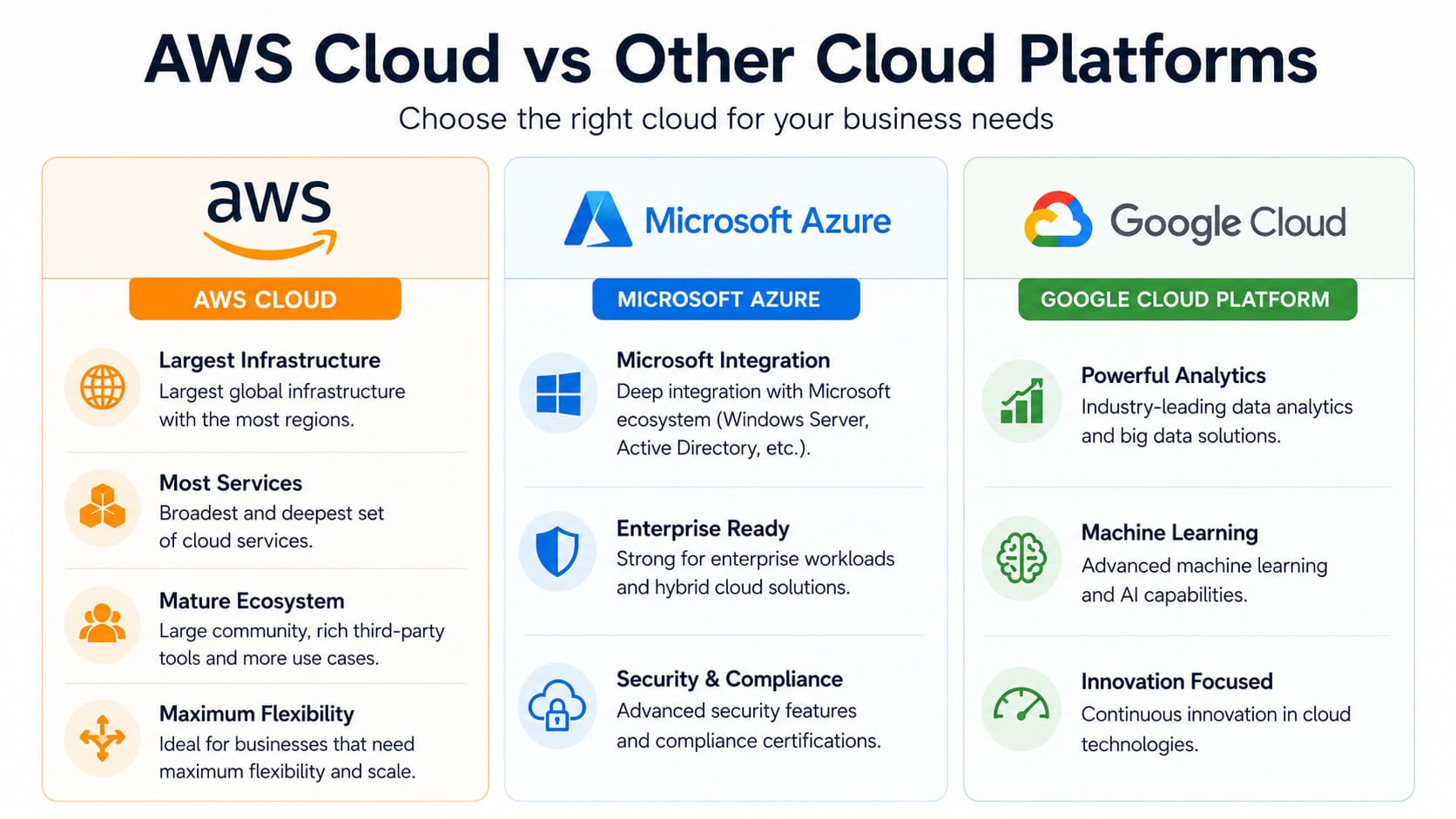
Comparing AWS Cloud with other providers like Microsoft Azure and Google Cloud Platform, it is possible to identify the main differences between them. Typically, AWS offers the largest number of services and biggest infrastructure in the world so that it is the best choice for those who wants to have maximum flexibility. Also, its mature status allows enjoying a big community, third-party tools and more use cases to study.
On the other hand, Azure often becomes the choice of businesses that already have deep integration with Microsoft's ecosystem (Windows Server, Active Directory and etc.). As for Google Cloud Platform, it is preferred because of powerful analytics and machine learning services.
Of course, the choice of the best cloud platform depends on your requirements, existing technology stack and skills of the team. Quite often businesses decide to combine different cloud platforms to avoid vendor lock-in or take advantage of particular services provided by them.
Best Practices for Using AWS Cloud
To get the most from the AWS cloud computing services, you should follow certain recommendations:
- Right-size your resources – check periodically that your instances match actual usage and do not overprovision them just in case.
- Set up billing alerts – it allows avoiding surprise charges.
- Use Infrastructure as Code – it allows defining infrastructure as code and therefore simplifying deployments and management of infrastructure.
- Follow the principle of least privilege – give users and applications only the permissions that they need and do not provide additional access.
- Leverage managed services when it is possible – using managed services like RDS or Lambda can be cheaper than managing your own databases or servers.
- Plan for multiple availability zones – designing applications to run in multiple availability zones provides better protection against outages.
- Review costs regularly – using AWS cloud cost management tools allows to track spending trends and find inefficiencies.
Conclusion
AWS Cloud has become a backbone of modern digital infrastructure because it gets rid of all problems related to physical infrastructure and provides flexible, scalable and pay-as-you-go computing resources that can be used from any place of the world.
Frequently Asked Questions
What is AWS Cloud?
AWS Cloud or Amazon Web Services is cloud computing platform that provides computing power, storage, databases and many other IT resources on the Internet on pay-as-you-go basis.
Is AWS Cloud free to use?
Yes, AWS Cloud offers Free Tier for new accounts that includes promotional credits for exploring paid services as well as some "Always Free" services like limited use of Lambda and DynamoDB services that remain free permanently.
What are the main AWS Cloud services?
Main services provided by AWS Cloud are: Amazon EC2 for computing, Amazon S3 for storage, Amazon RDS and DynamoDB for databases, AWS Lambda for serverless computing, Amazon VPC for networking etc.
How secure is AWS Cloud?
AWS Cloud uses "shared responsibility" model meaning that AWS ensures the security of the infrastructure and customers are responsible for the security of applications and data that they build on it. Also, AWS offers such services as IAM, encryption and monitoring.
What is AWS Cloud migration?
AWS cloud migration is the process of transferring applications, data and infrastructure from on-premises servers or another cloud service provider to AWS.
Who should use AWS Cloud?
AWS Cloud can be used by businesses of any size from single developers who want to host their first application to large enterprises running complex, global infrastructure due to flexible pricing and large variety of services.









 Whatsapp
 Email
Email