Job
enquiry:+91-9121642626
Job
enquiry:+91-9121642626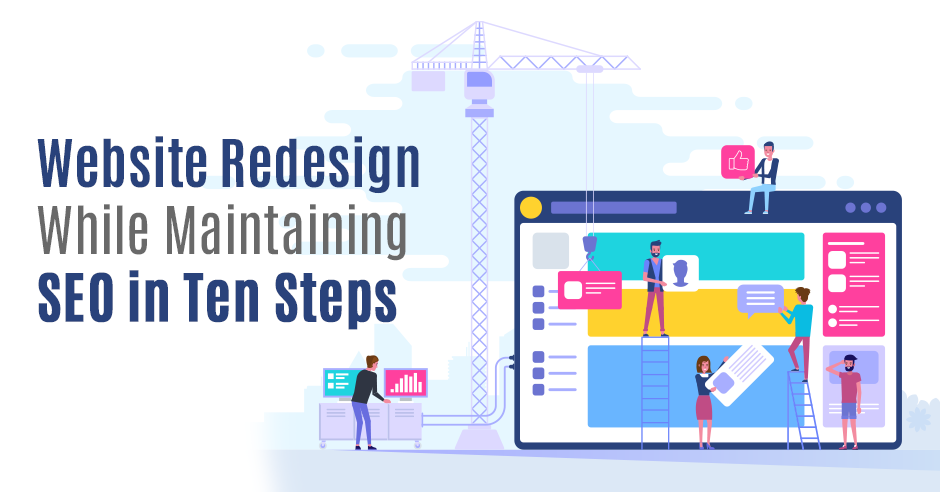
Website Redesign While Maintaining SEO in Ten Steps
There will come a day when your website has to believe it: a migration to a new CMS or a redesign. A valuable, but time-consuming job involving different disciplines to keep your website well maintained. With these ten steps, you ensure you do not lose sight of search engine optimization (SEO) in the website redesign process. Let's see the Importance of SEO in the website redesign of a website.
What is Website Redesign?
A website redesign is a detailed procedure to rebuild a website. It includes alternating the current website elements like content, structure, visuals, and code to serve your website visitors better. Excellent website redesign will reduce bounce rates, enhance user experience, and boost revenue.
What Are The Steps to Redesign a Website?
A website redesign company follows the below steps in a website redesign project plan.
- Analyze your current website by checking website design inconsistencies, Website Look Attractive, non-responsive images, broken buttons, etc.
- Determining the goals you achieve with your website, for example, considering the website redesign cost.
- Get inspiration from your competitors.
- Make a map of your website hierarchy.
- Hire a company that provides website redesign services.
Why is SEO so Important in a Redesign?
Organic traffic is the primary source of visitors for most websites. You have put a lot of time and energy into optimizing this. It takes months or sometimes years to build good rankings and lots of organic traffic. So you want to keep that, even when you migrate an existing website or during the website redesign. Otherwise, much of your accumulated rankings and search traffic could go up in smoke. You can avoid this by engaging with SEO Services during the website redesign process, from start to finish. First, realize that these steps are most effective when you consider site redesign SEO from the start. A website redesign is a perfect time to determine or assess an SEO strategy. Which landing pages have the most value? Which keywords do you want to be found on? If you only think about this after designing a website or writing content, then you are already too late. Fortunately, you are now reading this article. Go!
Website Redesign While Maintaining SEO in Ten Steps
1. Determine Landing Pages from Organic Traffic
Before undertaking a website redesign or migration, it is essential to conduct a thorough analysis of your current website, beginning with the main landing pages. Google Analytics Organic Landing Pages report offers valuable insights into the pages that attract the most traffic and drive conversions, making them a top priority. During the process of applying SEO for website redesign and migration, it is crucial to ensure that the most valuable pages are either migrated or redirected, rather than being deleted, to maintain their significance throughout the migration.
2. Determine Keywords and Current Rankings
Google's algorithms are getting smarter and looking at numerous factors such as loading speeds, mobile-friendliness, and backlinks. Still, it remains a text-oriented search engine. That is why keywords are still very important in making a website design and development services findable. Before migrating, make a list of keywords you are currently ranking on. Focus on keywords that drive, convert, and rank well. These keywords are given high priority in the website redesign.
There are several options to see which keywords you are currently ranking on. First of all, you can use Google Search Console. This is free and provides, in addition to the current rankings of your used keywords and related pages, much more information about your website, such as which pages are currently indexed by Google. Other good tools for determining rankings are MozRank Checker, SE Ranking, and the Googlerankcheck tool, which offers a simple and effective way to monitor your keyword positions. The interface is user-friendly and the rankings are accurate. The rankings are displayed on a timeline, so you can keep a close eye on them after the migration.
You will also have to deal with keywords that do not perform well but have potential, for example, because they have a high search volume or are very relevant in relation to your content. These are ideal candidates for optimization during a website redesign or migration.
In addition to prioritizing the current keywords, a website redesign is also the perfect opportunity to find new search terms. This can be done via Google Keyword Planner, among others. Here you enter your current search terms, on which the tool will suggest related words and corresponding search volumes.
The Featured Snippet Dilemma
Don't just look at the rankings of your keywords, but also test the search results that come up for important terms. It may be that there are a lot of 'featured snippets' between the search results. Google is increasingly trying to answer certain searches directly in the search results.
The more such snippets there are on such a page, the less quickly users click through to one of the organic results; after all, the information they are looking for is already displayed by Google itself. These are also called 'zero-click searches' and these are increasingly common, especially on mobile. It does not mean that you should avoid searches with such search results completely. Depending on your goals, it may be wiser to focus on search terms where fewer or none of these answer snippets appear.
Nevertheless, it is possible to have your own content displayed in featured snippets in the long term. For this, you have to be able to guess very well what the intention behind a certain search term is. If you know how to best match this intention with your content that is optimized for featured snippets, by making use of structured data, there is a chance that your content in one of these featured snippets is displayed. This does not apply to all featured snippets. For certainly featured snippets, Google uses fixed databases such as Wikipedia, and sometimes even its own information or widgets. A recent update has made choosing whether or not to optimize for featured snippets even more difficult. If you previously owned a featured snippet, the organic result where the information comes from was also displayed on the first page of the search results. Recently this is no longer the case. So make a choice here depending on the goals of your website while performing website redesign. Do you want to make your site appear better in the search results on these particular searches? Or do you prefer more organic traffic?
3. Analyze and Review Inbound Links
Incoming links (also called backlinks) are necessary to make your pages more popular. Pages with many qualitative backlinks have more authority in the search results. By changing your site structure you run the risk of losing backlinks. Performing a backlink analysis can help you understand your current link profile. Map the pages that other websites link to and have those pages migrated or redirected. Use a tool like Moz's Link Explorer or Ahrefs Site Explorer for this. Also, LinkHouse is the best place to buy/sell Backlinks from High-quality sites.
Not all links are worth the same. The quality and relevance of backlinks are now more important than the quantity. Unreliable links do more harm than good. Website redesign services or migration is therefore the perfect time to analyze backlinks and remove the bad links. Bad sites include spam websites, websites that link to numerous, often unrelated websites with the aim of negatively impacting your SEO.
But also websites that do not match the subject of your website such as 18+ websites or old HTTP websites.
Keep in mind that during website redesign or migration, the value that these incoming links give to pages after a migration or redirect is almost always less than if this link directly refers to the page. If certain inbound links are very important to your website, you can try to contact the administrators of those websites to have the old link replaced with the new one and thus restore the maximum link value. With a very large website with lots of inbound links, this is an almost impossible task, so look carefully at which links are the most valuable.
Daniel Ndukwu of UsefulPDF says:
The quality of links trumps the quantity in almost every aspect. We’ve been deliberate in getting links from good sites (clean backlink profile, good content, and organic traffic) and our efforts have paid off in the form of search traffic that improves every single month.
4. Crawl your Current Website
The URL structure often changes during a website redesign or migration. Preferably try to keep the URL structure, but if the URLs change, it is very important to point out this change to search engines. If you don't do this, accumulated rankings will expire. Understanding the current structure is therefore crucial. Use a tool like Screaming Frog SEO Spider to inventory the current URL structure. This is a basic element of your redirect plan.
5. Create a 301 Redirect Plan and Update Your Internal Links
From an SEO perspective, redirects are the heart of website redesign or migration. Redirects send users to new pages and tell search engines to index the new pages instead of the old ones. This is essential for transferring accumulated rankings. This can take a lot of time for larger websites, but if redirects are not executed, Google will not assign value to the new pages. In many cases, this results in a loss of rankings and traffic. So it is worth the investment.
You can use a spreadsheet to keep an overview. Create two columns and place the old and new URLs next to each other. This way you know exactly to which address the old URL has been moved during the redirect. You can inventory your old URLs using Screaming Frog and easily export them to a spreadsheet.
Don't forget to update your internal links as well. These old internal links are indeed also redirected, but as described in step three, you can lose page rank (or link value) again. It is therefore better to link directly to the new pages instead of using a redirect. Redirects can also cause a decrease in the speed of your website because each redirect makes the website just a little slower for users.
6. Set Up Self-Referring Canonicals
A canonical is an HTML element that mainly exists to avoid duplicate content. A canonical tells search engines which of similar pages is the original. This helps search engines index the correct pages. Make sure that on the new website, the canonicals are set correctly and point to the pages of the new website and not the old one. Use the help of a developer when it comes to larger websites. If the canonicals still refer to the old website, the new website may not be indexed.
To prevent this altogether, it is recommended to set up self-referring canonicals on all pages of the new website. This is to tell Google that these are the only versions of those pages. This in combination with the redirects tells Google what the new location of the old website is. Duplicate content is always negative. That is why it is wise to add self-referring canonicals all over the website, even if there is no site migration. It gives Google a clear signal of which pages are the original ones and prevents problems with duplicate content. In the case of accidentally creating duplicate content, the URL parameters will point to the original page. You can use special tools to detect duplicate content. For example, one such tool is Duplicate Page Checker by Sitechecker.
7. Move Important Content
On a new website, different texts often appear, or existing texts are edited. As mentioned earlier, Google's algorithms are very text-oriented, and existing rankings are based on the content that is currently there. You now know which landing pages and keywords provide the most value. When making changes, it's also important to prioritize the originality of your content. Tools like an online plagiarism checker can be helpful to ensure any new or edited text doesn't unintentionally copy existing sources.
8. On-Page Optimization
Screaming Frog SEO Spider also provides insight into potential on-page areas for improvement. For example, you rate elements such as page titles, meta descriptions, ALT texts, and headings. Identify duplicate content and broken links, as well as current redirects. You correct these points during the website redesign.
To increase your findability, it is important that you write strong content. This can be done together with a copywriter. Also, pay attention to important keywords that are still missing or not performing enough. You do this by assigning a keyword to each page. Choose the main keyword for each page and use it in the most important positions. These are the page title, meta description, headers, and of course the text itself. There are also tools that make optimizing posts and pages easier. For example, for a WordPress website, there is the Yoast SEO plugin. This plugin displays a window for optimizing page titles and meta descriptions, among other things. You can find many website redesign examples that use SEO plugins to easily optimize their pages and posts.
Just make sure that keyword usage comes across as natural. After all, you write for the user, not the search engine. Google also wants to show the best possible results to users. Content that helps visitors further, will therefore also be assessed well by Google. In contrast, AI tools are used for writing purposes, such as an AI text writer that can help in content creation more efficiently. This type of tool should be used to quickly write and enhance content, but not to replace human creativity and insight. The key is to provide value to your readers while naturally incorporating SEO elements. If you focus too much on SEO aspects in the copy, this will be at the expense of the quality of the content. It is therefore important to find a good balance there. Keyword stuffing (overuse of a keyword on a page) is even penalized by Google, which can cause you to rank poorly or not at all. In this article, copywriter Nina Vossen tells you more about how your content meets Google's guidelines so that it is easy to find.
9. Create An Attractive 404 Page (Page Not Found)
It is usually impossible to fix all 404 errors after a migration. Therefore, don't forget to create a custom 404 page that can be used to navigate to other areas of the website. Make it clear to visitors that the page they are looking for no longer exists and refers to an alternative. Always encourage a follow-up action, for example by displaying frequently visited pages, repeating the main menu, and/or offering the search function.
10. Test Before Going Live, Measure and Monitor After Going Live
Going live is an important moment. But before the website goes live, it is crucial to test everything on a test server. Here you can already check whether the redirects are going well, for example. In addition, you can crawl the test environment to see if any new problems have surfaced during the redesign that need to be resolved before going live, such as canonicals that are incorrect or pages that do not work due to a wrong redirect.
After going live, keep a close eye on web analytics. Use Google Analytics and Google Search Console to find decreases in traffic or an unusual increase in pages not found. Check with a rank checker as mentioned in step two whether keywords are declining in the ranking. When monitoring, refer to the data from step one, the organic traffic for the migration. Based on this data, you know exactly whether the migration is successful or whether you need to intervene. The website redesign scope of work example is that if the traffic remains the same or increases after the migration, the migration went well. If the traffic drops, it could be that something went wrong during the migration.
Conclusion:
With good planning and the right precautions, you can avoid a drop in traffic or a difference in ranking after migration. These 10 steps will help you with that. If you continue to improve your SEO strategy and the website in general, there may even be fairly rapid growth in traffic. To prevent your accumulated rankings from going up in smoke and take advantage of a new website.
FAQ :
1. Can I redesign an existing website?
Yes, you can redesign an existing website by making small changes. You have to consider things like set budget, specifications, and timescales to begin the revamping process of a website.
2. How do you redesign content on a website?
Here are the steps for redesigning a website -
- Determine your goal.
- Create a user-centered design.
- Introduce the design of UI.
- Make the revamping of the website information architecture.
- Create the wireframes that were revamped.
- Concentrate on your existing website’s content and analyze it.
- Ensure the layout adaptability and resourcefulness of a website.
3. why does your website need a redesign?
- Some reasons that can depict why your website requires a redesign -
- Change in your target audience.
- Missing or upgrading your website’s brand messaging.
- Complaints from your users or clients.
- The design trends in this field are altered.
- Update your website’s purpose.











 Whatsapp
 Email
Email