Job
enquiry:+91-9121642626
Job
enquiry:+91-9121642626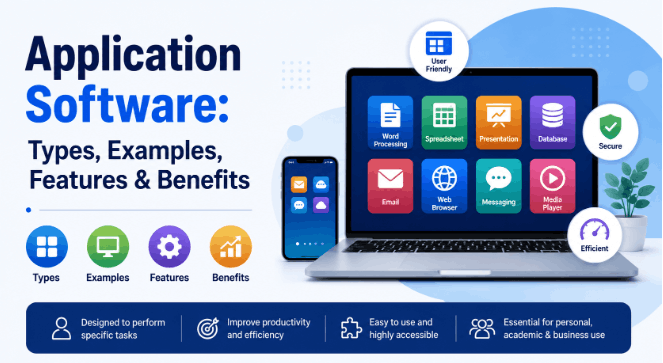
Everything You Need to Know About Application Software
You check your email. You edit a spreadsheet. You hop on a video call with someone halfway across the world. All of that is application software. It's just... there, in the background, and most of us never really stop to ask what it is or why it works the way it does.
So here's the plain-English version. No jargon stacked on jargon. No filler to pad things out. Just what application software actually is, the types out there, what makes it good (or not), real examples you already know, and where things seem to be heading next.
What Is Application Software?
Application Software Definition
Application software is a program, or a bunch of programs, built to help someone do a specific task. That's the short version. System software is different. It runs and manages your actual hardware. Application software sits above all that. It's there for you, the user, not for the machine itself.
Here's an analogy that's always stuck with me. Your operating system, Windows, macOS, Android, is the building. Foundation, wiring, the structure holding it all up. Application software is what goes inside. The furniture, the appliances, the rooms you actually use. It exists because someone, somewhere, had a problem and needed to solve it.
In more technical terms: application software is user-facing software built for particular jobs. Word processing. Photo editing. Accounting. Communication. Entertainment. Whatever the task, odds are there's an app for it.
How Application Software Works
Application software always runs on top of system software. Always. Open Microsoft Word and a lot happens before you even see the blank page, your OS allocates memory, manages the processor, sets up the graphical environment. Then Word takes over and lets you write, edit, save.
The rough sequence looks like this. You click the icon. The OS loads the program into memory. The app talks to your hardware, screen, keyboard, storage, network, through interfaces the OS provides. You do the actual work, the app processes it, and something comes out the other end, a document, a report, a call. Then it gets saved, locally or on a server, depending on the app.
A lot of software these days is cloud-based, so a chunk of that processing happens somewhere else entirely, on a server you'll never see. But the basic shape hasn't changed. Software, built for a person, doing a job.
Why Is Application Software Important?
Benefits for Individuals
For regular people, application software changed how we live, learn, and talk to each other, and it happened fast enough that most of us never really clocked it. Before all this, typing a letter meant a typewriter. A typo meant starting the page over. Sending a file meant an envelope and a stamp.
Now, You can write and publish something in minutes. Manage your own money without an accountant. Learn a new skill from an app on your phone. Stay in touch with people on the other side of the planet like it's nothing. Make videos, graphics, music, that used to require a studio and a budget most people didn't have.
The scale of that is honestly kind of wild. A student in Hyderabad has roughly the same tools as a student at Harvard. One person with a laptop can run a whole business. Pretty much all of that comes down to application software putting capability in everyone's hands, not just people with money or institutions behind them.
Benefits for Businesses
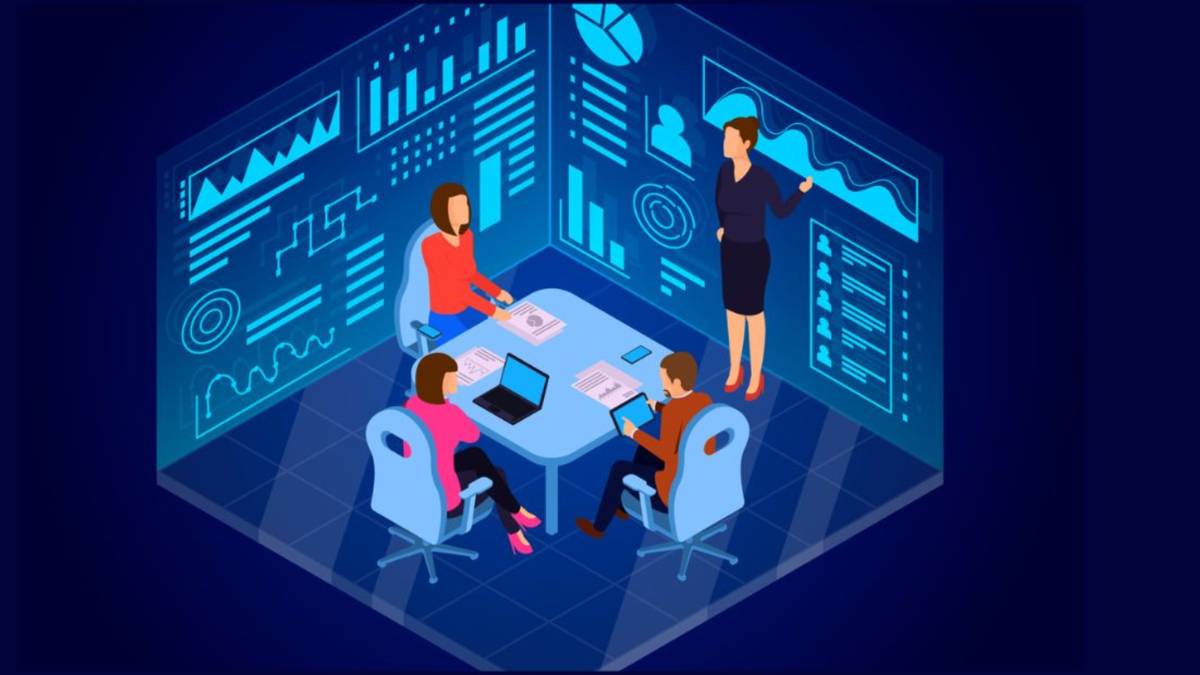
For companies, application software stopped being optional a long time ago. It's infrastructure now. Pull it out and most businesses, of any size, would basically stop functioning.
Automation handles the repetitive stuff so people can focus on things that actually need a human brain. Business software cuts down the kind of errors that creep in when humans do accounting or inventory by hand. Tools like Salesforce track every customer touchpoint, so service can be personal even at scale. Analytics give managers numbers from right now, not a spreadsheet from last week. One good platform can replace a stack of manual processes and free up real hours every week. And communication tools let people scattered across cities, or countries, work about as well as if they were in the same room.
Types of Application Software
There's more than one way to group all this, but here's what comes up most. Each type solves a different kind of problem.
Productivity Software
The category most people touch every single day, whether they're in school or at a desk job. Creating, editing, managing documents, spreadsheets, presentations. Microsoft Office (Word, Excel, PowerPoint), Google Workspace (Docs, Sheets, Slides), Apple Pages, Notion. This is the backbone of office work and school life, full stop.
Business Software
Built to manage and automate how a business actually runs. ERP systems, CRM platforms, accounting software, HR tools, point-of-sale systems, all of it lives here. SAP, Oracle, QuickBooks, Salesforce, Zoho, these are the big names, and between them they cover everything from payroll to supply chains.
Educational Software
Anything built around learning or teaching. Digital textbooks, eLearning platforms, language apps, coding tutors. Duolingo for languages, Khan Academy for school subjects, Coursera for professional stuff, BYJU'S for K-12. These platforms genuinely opened up access to decent education in places that didn't have it before.
Multimedia Software
Creating, editing, playing back audio, video, images, animation. Designers, filmmakers, musicians, photographers, content creators, this is their world. Adobe Photoshop, Adobe Premiere Pro, Final Cut Pro, Audacity, Canva, the names most people know even if they've never used them.
Communication Software
Anything that moves information between people. Email, instant messaging, video calls, VoIP. Zoom, Microsoft Teams, Slack, WhatsApp, Gmail. This category became absolutely critical during the shift to remote work, and honestly it never really went back.
Web Browsers
Feels like the boring one on this list, but Chrome, Firefox, Safari, Edge, these are seriously sophisticated pieces of software. Extensions, developer tools, progressive web apps. They're application software too, even if they feel more like the internet's front door.
Key Features of Application Software
What makes the difference between software people love and software people tolerate? A few things, really.
User-Friendly Interface
Good software puts the person first. Buttons, menus, layout, all of it should make sense fast, fast enough that someone new doesn't need a manual to figure out the basics. Good UI/UX shortens the learning curve, gets more people actually using the thing, and means fewer support tickets. The best software kind of disappears. You stop thinking about how to use it. It just works, and you forget it's even there.
Task Automation
One of the genuinely great things software does is take repetitive work off your hands. Auto-generating invoices. Scheduling posts. Running batch imports. None of it sounds exciting, but this is where a huge chunk of the actual time savings comes from. For a lot of businesses, this is the whole reason they bought the software in the first place.
Data Management
Software has to handle data well, storing it safely, making it searchable, allowing edits, keeping backups. Version history, cloud sync, export options, role-based access. In enterprise settings none of this is optional. It's just expected.
Integration Capabilities
Nothing stands alone anymore. The best software connects to everything else through APIs, webhooks, native integrations. A CRM that talks to your email, calendar, and billing creates an actual workflow instead of five disconnected tools. How well something fits into a stack that already exists often matters more than what it does on its own.
Common Uses of Application Software
Personal Use
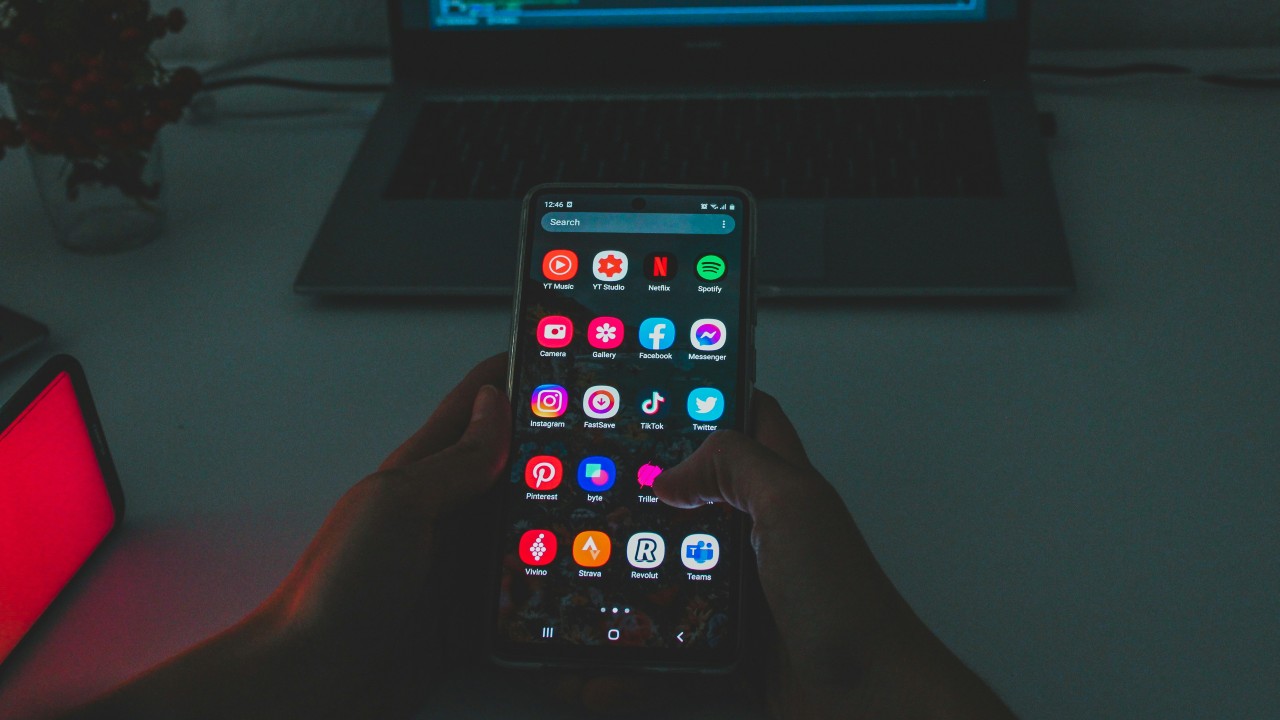
Day to day, application software runs almost everything. Writing, organizing photos, streaming, gaming, fitness tracking, budgeting, talking to people. Phones stretched all of this into every spare minute of the day, which is great, or exhausting, depending on the day.
Professional Use
People need this stuff to do their jobs. Designers, Adobe Creative Suite. Accountants, QuickBooks or Tally. Developers, VS Code or IntelliJ. Marketers, HubSpot or SEMrush. The right tool doesn't just make a job easier. It changes what's even possible to do.
Enterprise Use
At scale, software runs entire organizations. ERP systems connect finance, HR, supply chain, manufacturing, all of it. CRM platforms manage thousands of relationships at once. BI tools chew through millions of rows. For a big company, software spend is often one of the largest line items there is.
Application Software Examples
Microsoft Word
Still the most widely used word processor on earth. Released in 1983, and somehow still the standard, from a quick letter to a 50-page report with tables, charts, footnotes, tracked changes. Part of Microsoft 365 now, runs on Windows, macOS, mobile.
Google Docs
Free, cloud-based, and it genuinely changed how people write together. Multiple people editing the same doc at once, watching each other's cursors move in real time. No install. Auto-saves to Drive. Works on any device with a browser. That's why remote teams, teachers, and students all gravitated toward it.
Adobe Photoshop
The benchmark. Photographers, designers, marketers, artists, all of them, for retouching, digital painting, compositing, print design. Launched in 1988, and it became so dominant the name turned into a verb. Not many pieces of software can say that.
Zoom
Became a household name during the pandemic and just... stuck. Cloud-based video, HD calls, webinars, screen sharing, breakout rooms, chat. Easy enough and reliable enough that it became the default for remote work, online classes, virtual events, and that default status hasn't really faded.
Salesforce
The leading CRM, by a wide margin. Helps businesses of any size manage leads, track pipelines, automate marketing, run customer service, all from one place. With a massive ecosystem of integrations behind it, Salesforce basically owns enterprise sales and service.
Application Software vs System Software
Key Differences
These two do fundamentally different jobs, at different levels of how a computer actually works.
Application software is for the end user. It runs on top of the OS and does specific things, word processing, accounting, communication, design. You interact with it directly to get something done.
System software manages the hardware and builds the environment application software lives in. Operating systems (Windows, Linux, Android), drivers, firmware, utilities. Most people never touch any of this directly, and don't need to.
Comparison Table
| Feature | Application Software | System Software |
| Purpose | User-specific tasks | Manages hardware & resources |
| End User Interaction | Direct | Indirect or none |
| Examples | MS Word, Zoom, Photoshop | Windows, macOS, Linux |
| Dependency | Runs on system software | Runs directly on hardware |
| Installation | User-installed | Pre-installed or bundled |
| Customisability | High (many user settings | Limited for end users |
| Run without the other? | No — needs OS to run | Yes — can run without apps |
Advantages and Limitations of Application Software
Advantages
The upside here is pretty real. Productivity goes up, things that used to take hours get automated and sped up. Accuracy improves, less of the human-error stuff that creeps into data entry and reports. Collaboration actually works, multiple people in the same document or system at once, from anywhere.
It's also accessible now in a way it wasn't before. You don't need to be technical. Cloud apps scale from one person to thousands without a huge infrastructure overhaul. A lot of tools let you customize dashboards and workflows to fit how you actually work, not some generic template. And SaaS products just update themselves, quietly, in the background, without anyone lifting a finger.
Limitations
None of this is free, though. Cost is real, enterprise software can get expensive fast, both to license and to actually set up. There's a learning curve too, big platforms like ERP systems need real training, not a five-minute tutorial.
Security is a constant background concern, anything on a network is a potential way in for someone who shouldn't be there, and breaches happen. There's also vendor dependency, if a company kills a product or hikes prices, users don't have a lot of say. Compatibility issues show up across devices, operating systems, other software.
Heavy applications, video editing, 3D rendering, analytics, need serious hardware. And cloud software needs a decent internet connection, which isn't a guarantee everywhere, and that's a real limitation depending on where you're working from.
How to Choose the Right Application Software
Picking software is a bigger deal than people treat it as. Get it wrong and you've wasted money, time, and a lot of patience from whoever has to use it every day.
Business Requirements
Start with an honest list of what you actually need it to do. Talk to the people who'll use it daily, their take matters more than most decision-makers think. Separate the must-haves from the nice-to-haves, and check how well each option covers the essentials before you even look at anything else. Don't get swept up by a flashy demo full of features you'll never touch. Software that solves your real problem, without piling on extra complexity, is almost always the right pick.
Budget Considerations
The license fee is rarely the full picture. Implementation, training, customization, migrating data, support, yearly price bumps, it all adds up. SaaS scales with headcount, which gets pricey as a company grows. Look at total cost over three to five years, not just the monthly number, and weigh that against what the software actually saves you in time and accuracy.
Scalability Factors
Whatever's right today should still be right once the company's doubled. Ask vendors, directly, how the platform handles growth, more users, more data, more locations, more integrations, and push if the answer's vague. Cloud-native tools generally scale better than on-premise ones. Look for flexible pricing, an active roadmap, and an integration ecosystem that's still growing, not one that peaked a few years ago.
Conclusion
Application software isn't some niche tech topic off in a corner. It's basically the lens for how modern life and modern business actually happen. From unlocking your phone in the morning to closing that last spreadsheet at night, it's quietly doing the heavy lifting behind nearly everything you get done.
The core ideas aren't complicated, even if the category is huge. It exists to serve the person using it. It runs on top of system software and can't work without it. It shows up everywhere, productivity, business, education, multimedia, communication, and more, each one built for a different kind of need. The good stuff is intuitive, plays nicely with other tools, takes repetitive work off your hands, and grows as your needs grow.
Choosing the right software isn't about grabbing whatever's popular or has the longest feature list. It's about matching the tool to the actual problem. Get clear on what you need, be honest about what it'll really cost, and think past today, toward where you'll actually be in a few years.
Frequently Asked Questions About Application Software
What is application software?
It's any program built to help people do specific things directly, writing documents, managing money, communicating, editing images, browsing the web. It runs on top of system software (the OS) and exists for the user, not to manage hardware. Microsoft Word, Google Chrome, Zoom, Adobe Photoshop, all examples. It's the software category most people actually see and touch every day.
What are the main types of application software?
Productivity software (Microsoft Office and similar), business software (Salesforce, SAP), educational software (Duolingo, Khan Academy), multimedia software (Photoshop, Premiere Pro), communication software (Zoom, Slack), and web browsers (Chrome, Firefox). Each one's built around a different kind of task. Some span more than one category, Google Workspace covers both productivity and communication in one place.
What is the difference between application software and system software?
Application software does things directly for you, writing a document, making a call. System software manages the hardware and builds the environment apps run in, Windows, macOS, Linux. Application software needs system software to function, it can't run on bare hardware alone. System software can run with zero applications installed. Both matter. They're just doing completely different jobs.
Why is application software important for businesses?
It automates repetitive work, improves accuracy, enables collaboration, and gives people real-time data to make calls with. Without it, the basics, managing customers, running payroll, tracking inventory, talking across teams, analyzing sales, would all take way more time and way more people. Good software directly affects how efficient and competitive a company is, and how well it can grow. For most businesses, this is one of the best-returning investments they can make, period.
What is the difference between SaaS and traditional application software?
Traditional software gets installed locally, usually a one-time purchase, and you're responsible for updates and backups yourself. SaaS is cloud-hosted, accessed through a browser or app, sold as a subscription, and the vendor handles updates, security, infrastructure on their end. SaaS tends to mean lower upfront cost, easier collaboration, access from anywhere, while traditional software can perform better for heavy tasks and doesn't need a constant connection.
What are the limitations of application software?
Cost, especially enterprise tools, a real learning curve on complex platforms, security risks if things aren't kept updated, dependency on whoever made it, possible compatibility issues across devices or systems, and for cloud software, needing a stable connection. Heavy applications, video editors, 3D tools, can run poorly on older machines too. And there's vendor lock-in, where switching away from something you've built your whole operation around gets genuinely hard and expensive






 Whatsapp
 Email
Email